
Editorial Board
The four views, the statuses an item moves through and which ones Ghost owns, what an item holds, turning an idea into a Ghost draft, filters, and archiving.
Four views of one board
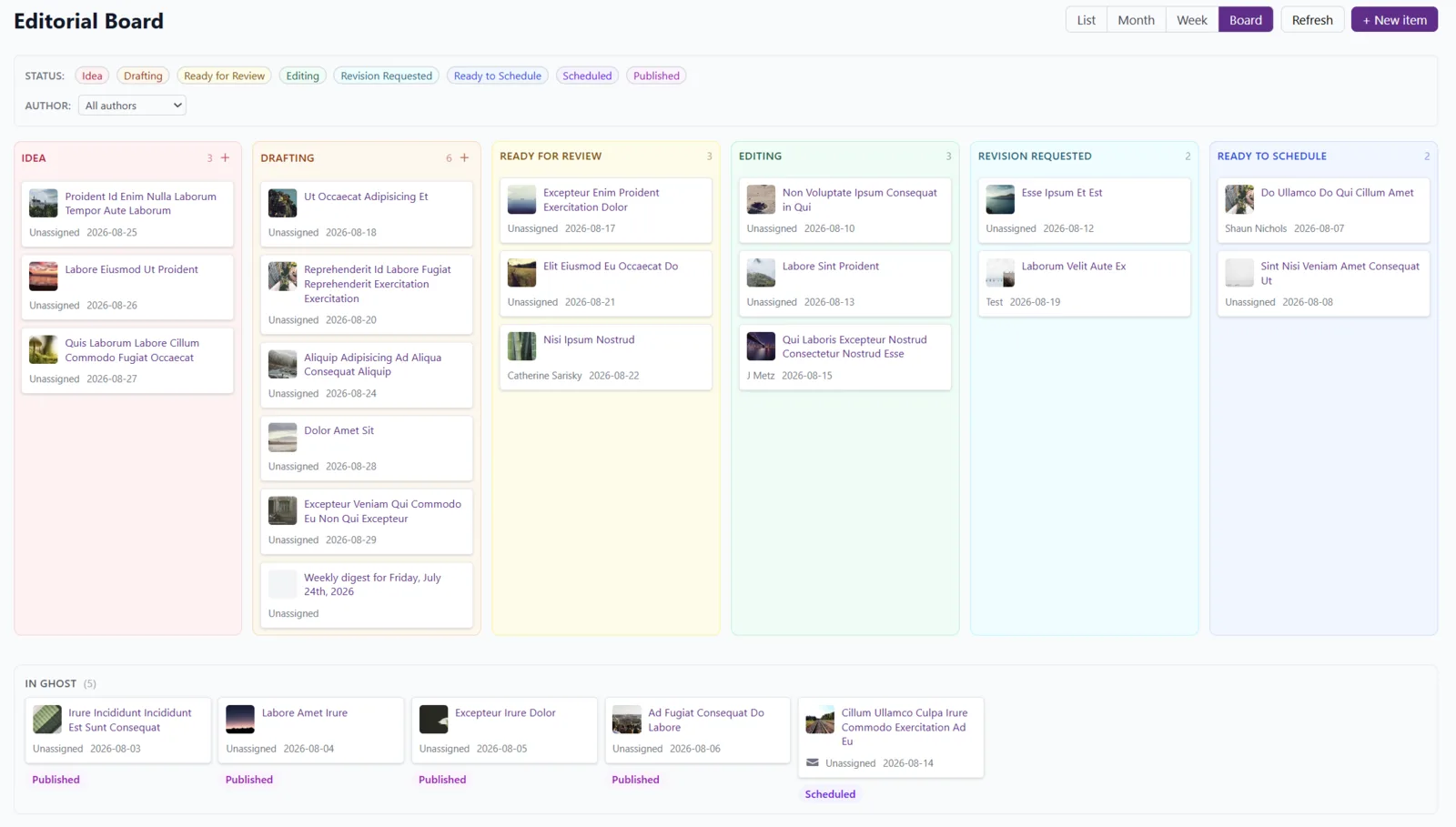
The buttons at the top switch between Board, Month, Week and List; the board remembers your last pick. Board is a Kanban: every status is a column with its own count, and work that has already reached Ghost sits in a tray along the bottom, out of the way but in sight.
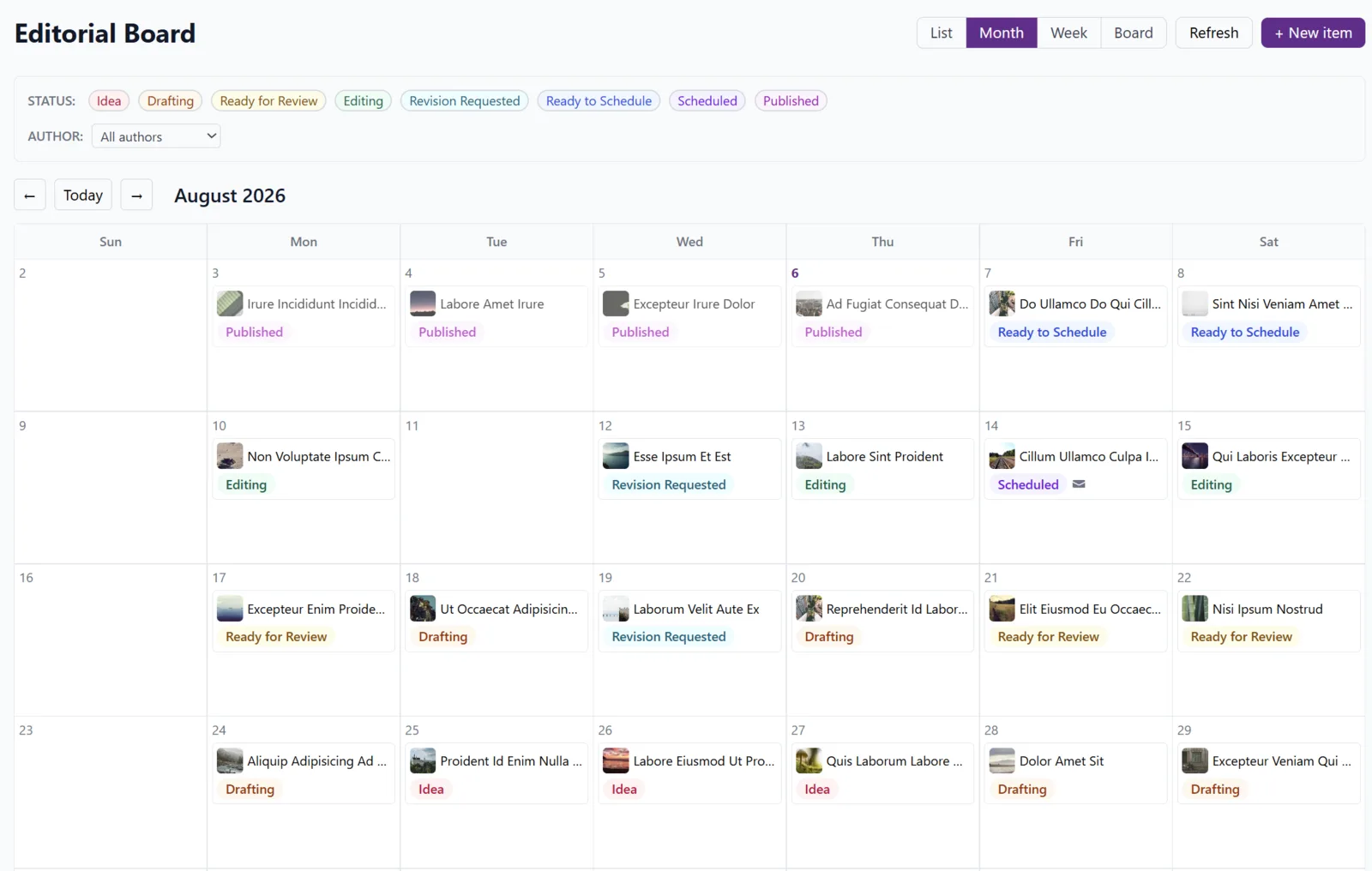
Month and Week put items on the day they're planned for, so a day with nothing on it is impossible to miss.
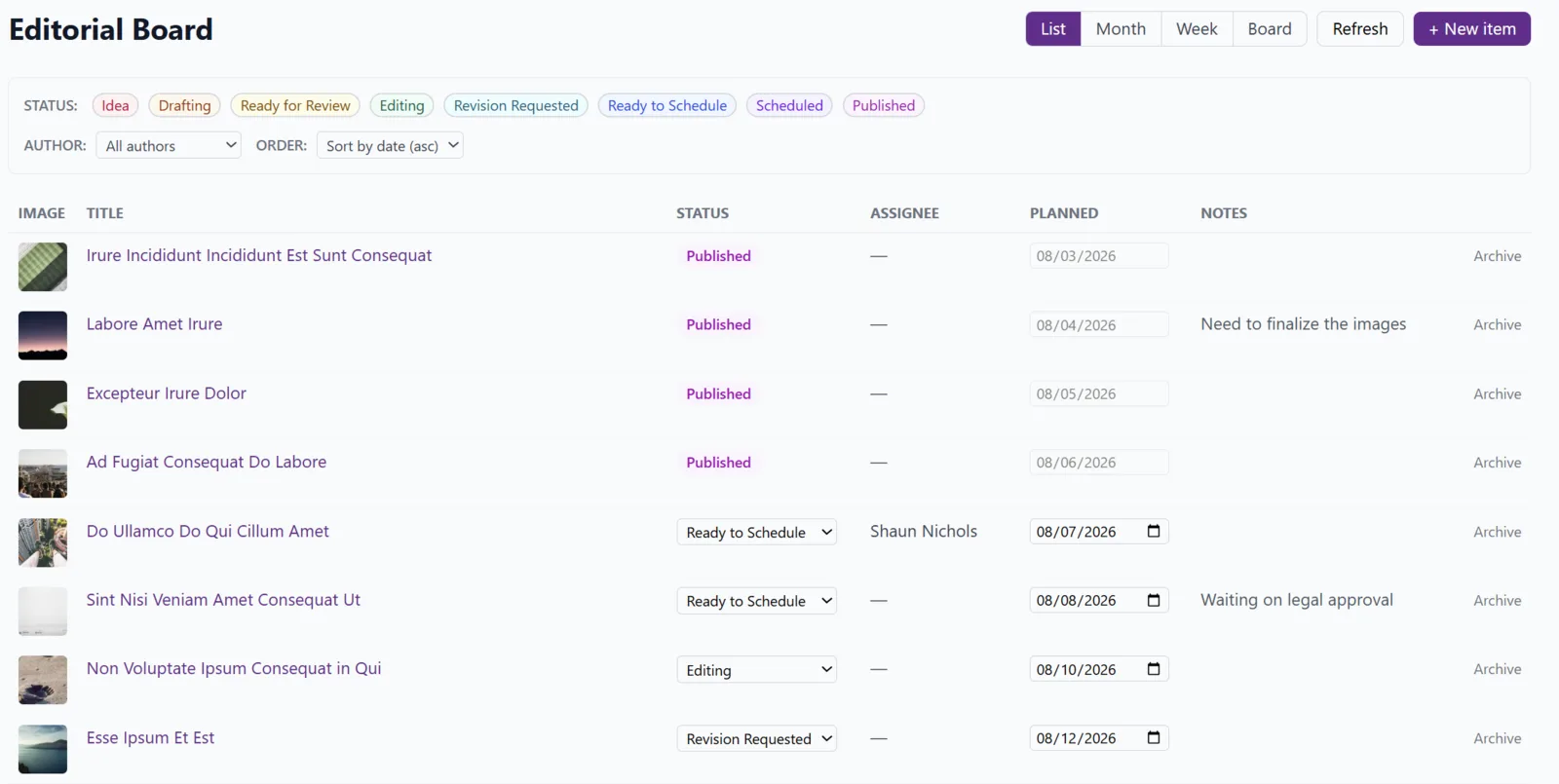
List filters by status or author, sorts by date, and changes a status without opening anything.
Items, and where they come from
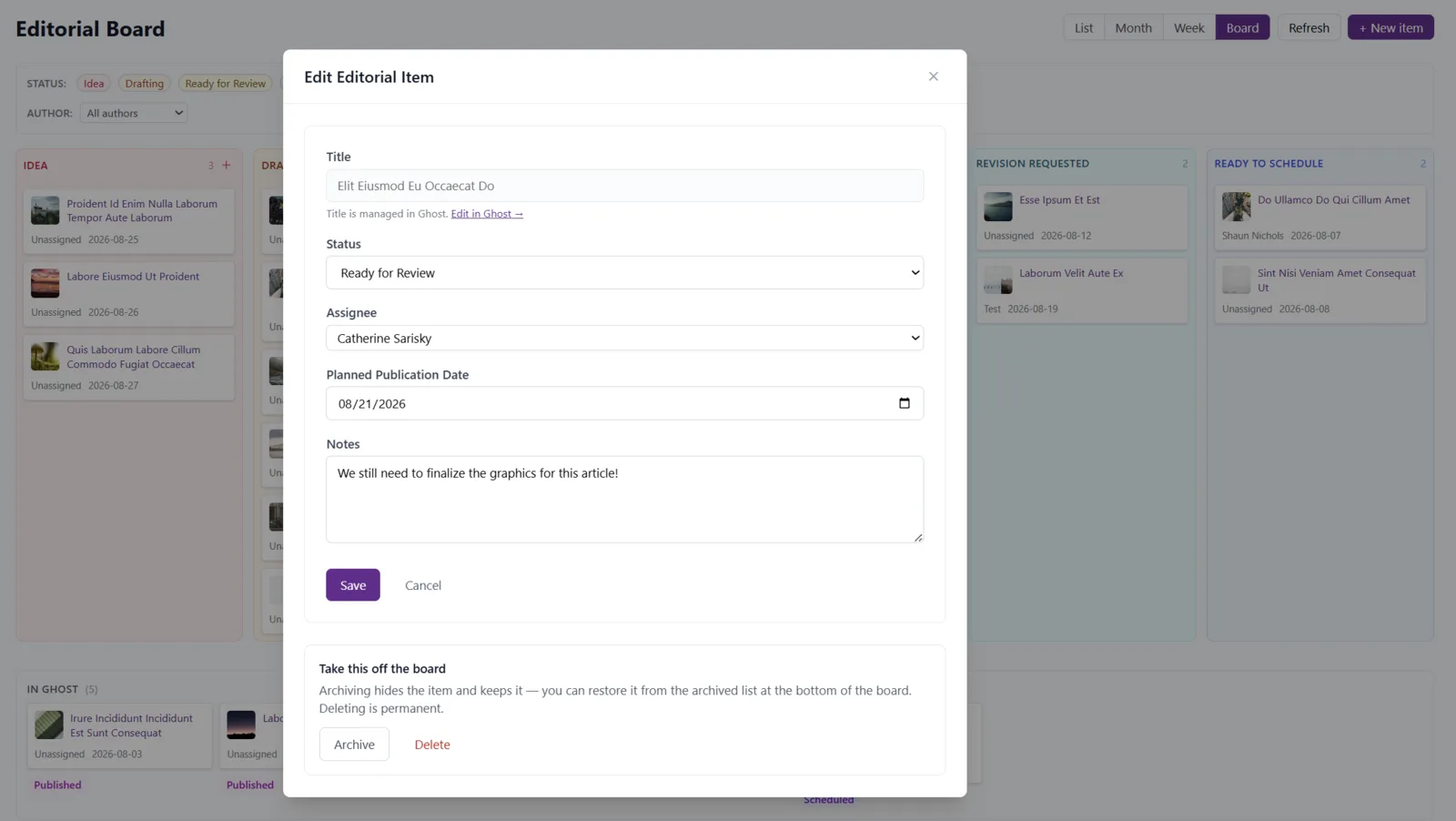
Your Ghost posts appear on the board by themselves, with their titles and feature images, and their dates follow Ghost: schedule or publish a post and the board updates to the real date. Anything not yet a post you add yourself with New editorial item: the interview that hasn't happened, the explainer somebody will start on Monday. An item holds:
- a title; for a Ghost post the title is Ghost's, with an Edit in Ghost → link straight to the editor;
- a Status, one of idea, drafting, ready for review, editing, revision requested, ready to schedule, and then scheduled and published, which Ghost sets and you can't;
- an Assignee, picked from your Ghost staff. The picker warns when someone has no dashboard login, since they'd never see the item here;
- a Planned publication date, and notes.
An idea that's ready to be written can be turned into a draft in Ghost with one click from its dialog; the board then shows Draft created in Ghost and the item follows the post from there.
Filters and ordering
Above the board: Status, Author (all, unassigned, or one person) and Order (by date, grouped by author, or grouped by status). The same filters apply in every view.
Housekeeping
Finished with something? Take this off the board archives it: it leaves the views but can be restored from the archived items panel. Delete is permanent and asks first. Neither touches the post in Ghost.
Being told, not pestered
Everyone on the site can subscribe to email digests of editorial changes, status moves and hand-overs, from their own Notifications page, and can limit them to items assigned to them. Mute anything that feels like noise.