
Member Preferences + Membership Geolocation + Label Pairs
Do more with labels.
Ghost's member labels are a great way to segment your audience, so that users only receive the newsletters relevant to them. These tools let your members label themselves, and add geo-tagging you can segment on.

Member Preferences free
Let readers tell you what they want.
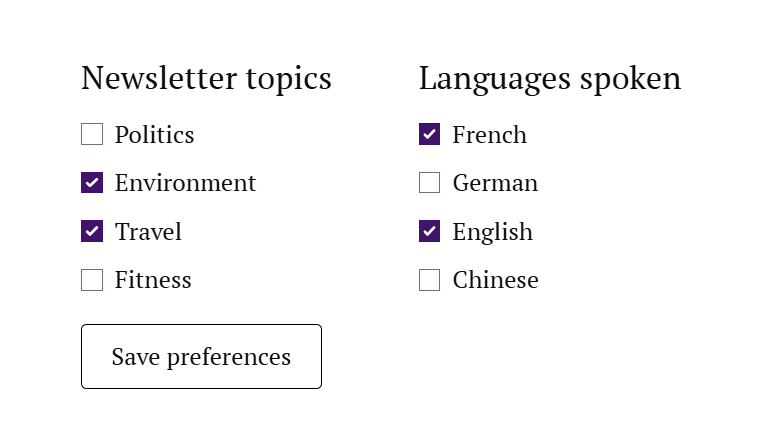
Pick which of your Ghost labels members may set for themselves, group them under friendly headings, and paste one snippet on your site. Signed-in members get a checkbox form — no accounts to build, no forms to wire up.
- You choose exactly which labels are on offer — the rest stay yours alone
- Labels outside that list are never touched, so your internal segments survive every save
- Create a brand-new label without leaving the builder
- Nothing to restyle — the form inherits your theme's own CSS
Membership Geolocation core
Or tag them automatically.
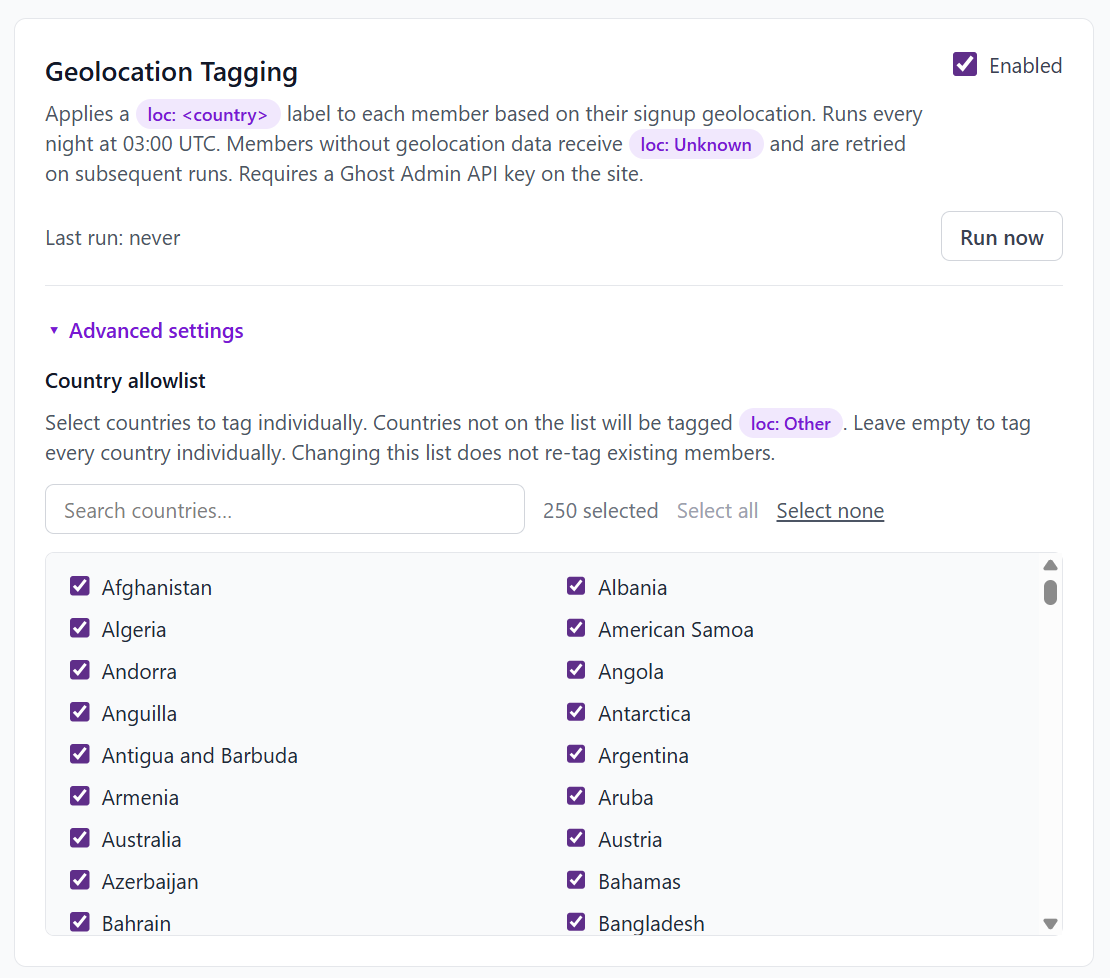
Every member picks up a loc: Country label, worked out from the geolocation Ghost already recorded when they signed up. 250 countries, applied every night, no work from you.
- Narrow it with an allowlist — only the countries you care about get their own label, and everyone else lands in
loc: Other loc: Unknownis retried on later runs, so data that shows up late still lands- It only ever touches the labels it owns — everything else you've built is left alone
- Run it on demand when you want it now, or leave it to the nightly pass
Label Pairs core
Or give every label its opposite.
Ghost's newsletter picker can send to members who have a label, but not to everyone who doesn't. Name a label and Label Pairs maintains its not- twin: when one goes on, the other comes off, and every member ends up on exactly one side. Filter on either half and you have the whole audience, split cleanly in two.
- You choose the side new members start on, and which side wins if someone ends up holding both
- Taking one side off puts the other on, so nobody is ever on neither
- Works live from Ghost's member events, with a nightly pass that keeps the whole membership consistent
- Only ever touches the pair's two labels — everything else stays exactly as it was
One pair, four cases
Say the pair is politics-digest. Whatever happens to a member, they leave with one label from the pair, never two and never none.
- Gets
politics-digest not-politics-digestcomes off- Loses
politics-digest not-politics-digestgoes on- Joins with neither
- Gets the side you picked as the default
- Somehow has both
- Keeps the side you picked as the winner
What labels are for
Segments you can actually send to.
Labels aren't the point — what you do with them is. All three tools write to the same Ghost member labels you already filter on.
Send to the right people
Ghost's own newsletter filters read labels, so "everyone who asked for the politics roundup" stops being a spreadsheet and starts being an audience.
Ask the right people
Pitch the local fundraiser to local members. Run the meetup invitation past the town it's actually in.
Know who showed up
Where your readers joined from and what they said they wanted — sitting in the Ghost admin you already use, not a dashboard you have to remember to open.
Pricing
One free, two on Core.
Member Preferences is on the free tier — no card, no catch. Membership Geolocation and Label Pairs come with Core, along with the rest of the toolbox on simple, fair pricing.
Get started