
Image Library for Ghost
That photo you ran last spring? Found.
Image Library indexes each image in your posts and pages — caption, alt text, filename, and every place it ran — so you can search for the harbor photo, credit the photographer, and drop it into today's post as a ready-made image card. It cleans up as well as it finds: fill in missing alt text, merge duplicate uploads, and swap an image everywhere it ran, all from one screen.

How it works
One setup. Always up to date.
Use the Algolia app you already have
Image Library lives in the same Algolia application as Advanced Search: one more index, no second account. Enter your Algolia details on the Search page once, press Set up here, and it creates the index and hooks into Ghost so new posts index themselves.
Index the back catalog
One button walks every published post and page and records each image's caption, alt text, filename, and where it appeared. Ghost's resized copies collapse into the original, so a photo used at three widths is one entry, not three.
Search, credit, paste
Type a word from the caption, the alt text, or the filename. Add the photographer or a folder, then press Copy for Ghost — paste into the editor and it lands as a proper image card, caption and all. Or press Start a post to open a fresh draft with it as the featured image.
What it can do
Find it fast. Use it again. Keep it tidy.
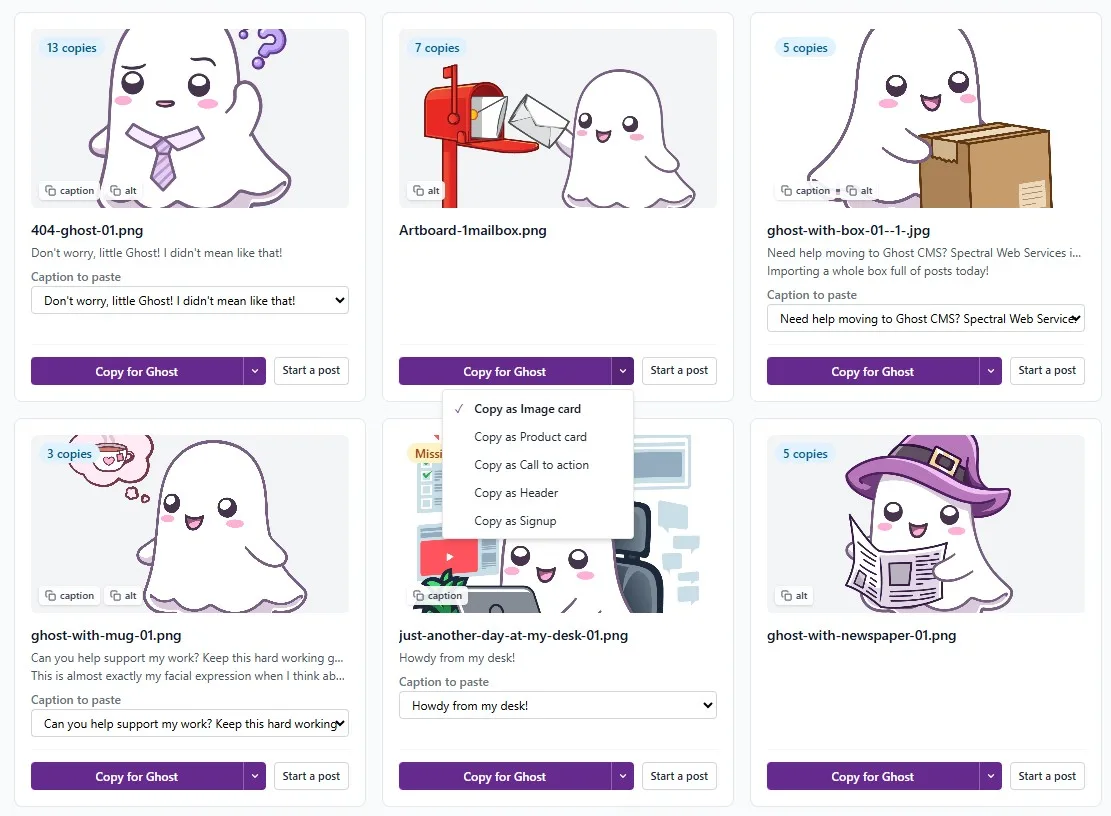
Where each image has run
Every entry lists the posts and pages it appeared in, with links. Handy for "have we used this one before?" — and for spotting the logo that's on four hundred pages.
Photographer, folder, notes
Credit a photographer once and find all their work later; sort into folders; keep a note about usage rights. They live only in the library — nothing here edits your posts.
A copy button that speaks native Ghost
Press it and a complete Ghost image card — full-size image, caption, alt text — is on your clipboard, ready to paste straight into the editor. Or pick product, call-to-action, header, or signup from its menu to paste that card instead, built around the image and ready for your text.
Start a post from any image
One button opens a fresh Ghost draft with the image already set as the featured image, alt text and caption carried over, and lands you in the editor.
Replace an image everywhere
New logo, better crop, a photo you've lost the rights to: pick a replacement and it's swapped into every post, page, and feature image the old one appears in — with the caption and alt text updated too, if you choose.
Hide the clutter
Spacer graphics, retired promo banners, that divider from 2019: mark an image "never show" and it and its copies drop out of every view. Your posts aren't touched — the library just stops showing it.
Alt text
Fix missing alt text — at scale
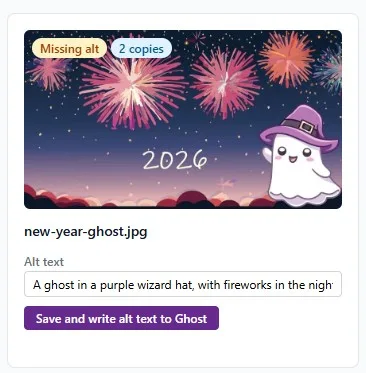
Alt text is how screen readers — and search engines — see your images, and every back catalog has gaps. The library flags each image that's missing it: write the alt text once on the card, send it to Ghost, and it lands in every post and page that runs the image — feature images included. Alt text you already wrote is never overwritten.
Duplicates
Merge duplicate uploads
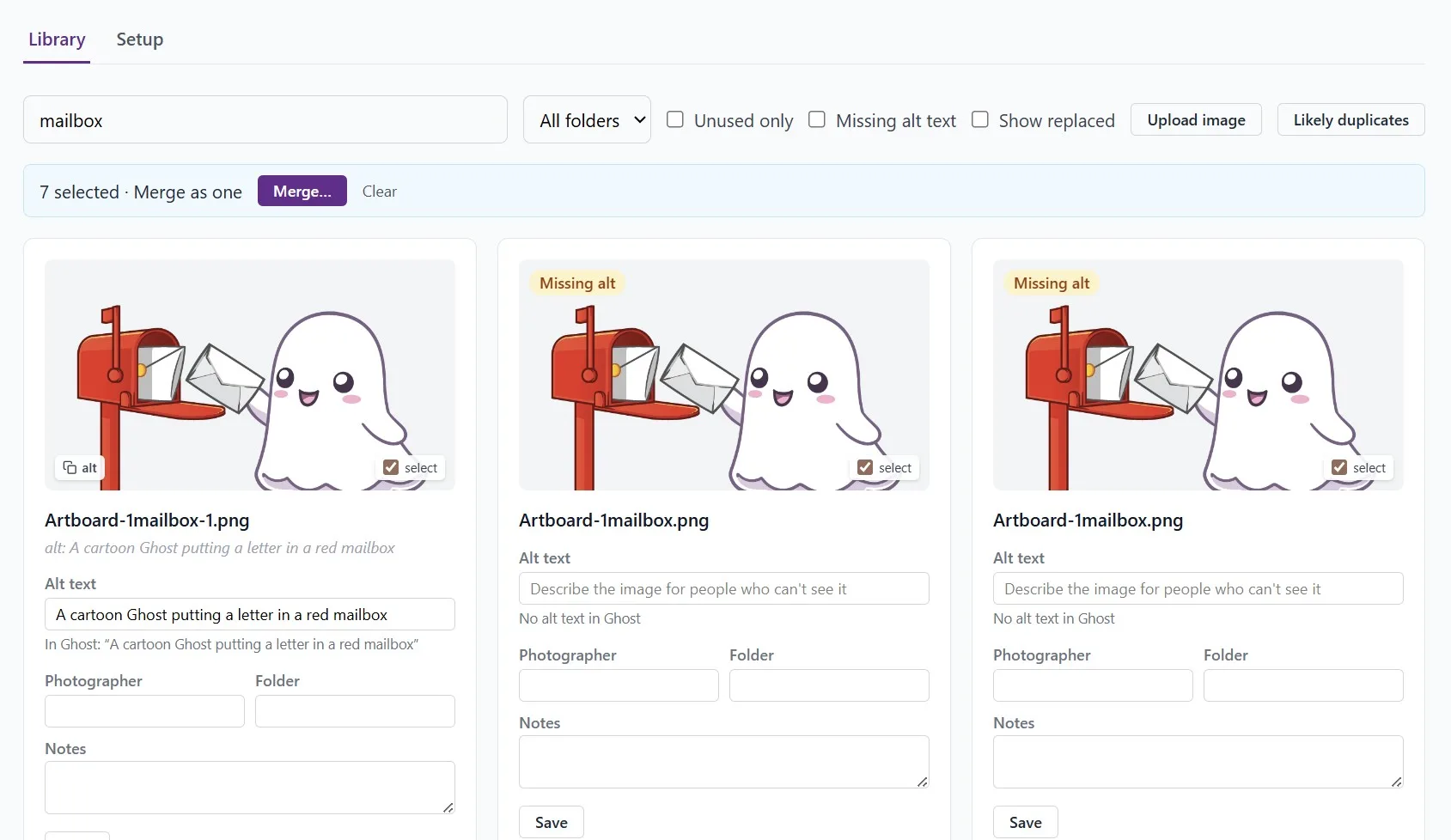
Uploaded the same photo twice over the years? The library suggests likely duplicates by filename. Select the copies and merge: one card, the combined history of everywhere each copy ran, and metadata edits that reach every copy at once.
FAQ
Good questions, honest answers
How should I use the Image Library?
Right now, if you've already got years of images in Ghost, you probably want to start by merging duplicates — it'll make everything easier. Going forward, you can start a post or grab an image right from the Image Library to avoid creating additional duplicates.
Where are my images stored?
On your Ghost site, or wherever they started. We just find them — we don't move them.
Why do I need Algolia?
Algolia already syncs with your site if you're using Advanced Search, so it made sense (sort of?) to keep the image data there too. I'm interested to hear from you in a couple of months: is your usage high enough that the data would be better stored somewhere else?
What goes in Algolia?
Metadata: the URLs of all the images, your notes, a shared alt-text string, and a record of which images you've said are the same.
How does the Image Library help me with accessibility?
You can use it to identify images that don't have alt text (and could), to copy alt text between uses of the same image, and to add the missing alt text. It can't fix Ghost cards that won't accept alt text — sorry.
Is the Image Library safe to use?
No images are ever removed from Ghost. Merging is just on the Algolia side, to make it easier for you to see which unique images you have. We edit your posts when you provide alt text or use Replace (for example, because an image is broken) — but those are the only times we change your Ghost content.
How much does the Image Library cost?
The Image Library uses Algolia for data storage and retrieval; you can log into your Algolia account and inspect your usage there. Algolia's Grow plan includes 10,000 requests per month — which should support modest Image Library use — and currently bills overage at $1 per 1,000 additional requests.
The Image Library itself is a free tool while in alpha/beta, and will then be on the Core tier with lots of other great tools. Feedback welcome!
Pricing
Free during alpha — please send feedback!
Image Library is free while it's in alpha, and it shares the Algolia application Advanced Search already uses — one account covers both. What it should do next is up to the people using it: tell me what works and what doesn't.
Set up the library